


Live Weather: Weather Forecast
4.79.27K Reviews
App Specs
- Version
- 1.1.42
- Updated On
- License
- Free
- Downloads
- 10,000,000+
- Developer
- Weather Forecast - WaiWao Studio
- Categories
- Weather
- Platform
- Android, iOS
Screenshots
 Analysis by AppCompare
I often check the weather only after I have already picked an outfit or stepped out, which is exactly when a useful forecast matters most. Live Weather: Weather Forecast is designed to make that quick decision easier, putting local conditions and hourly and daily forecasts in one place. I like the idea of a weather app that helps me plan before a small change in the sky turns into a soaked walk or an uncomfortable commute.
Making a weather check useful
First off, the interface is super user-friendly. You open it up, and boom—you’re greeted with today’s weather in a neat, easy-to-read format. No more squinting at tiny numbers or deciphering cryptic icons. Everything is laid out in a way that just makes sense.
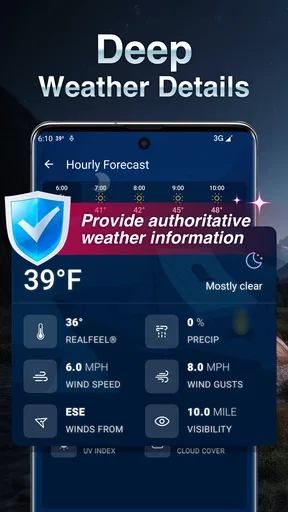
What's really cool is the real-time updates. The app uses your location to give you the most accurate weather data possible. So, whether you’re lounging at home or traveling, you can trust that the weather info is spot on. Plus, it covers various metrics like temperature, precipitation, wind speed, and even air quality. It’s like having a Swiss Army knife for weather!
A quick check before heading out
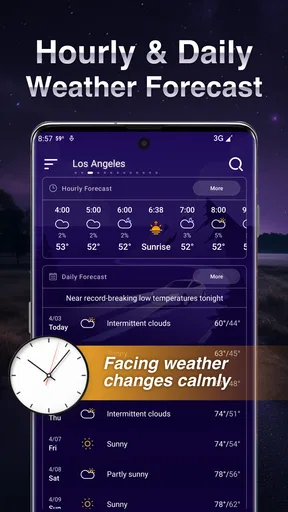
The practical benefit is less about staring at forecasts and more about making a decision quickly: do I need a layer, should I bring an umbrella, or is it sensible to move an outdoor plan? The hourly view is handy when the day is changeable, while a daily forecast is better for looking ahead without opening several screens. I would use the two differently: hourly details for the next trip out, and the broader outlook when planning a weekend.
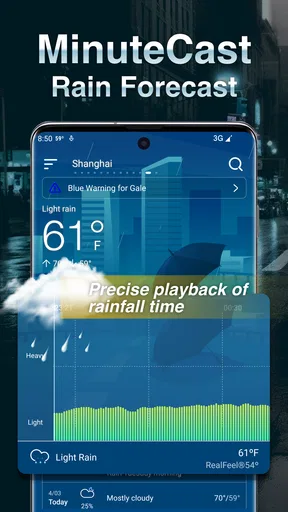
For example, before leaving for work, I can check the expected conditions for the hours I’ll be out rather than relying on the morning sky. If rain is possible later, I can take an umbrella even when it is dry at the door. That small check is the kind of routine that can save time and avoid an annoying detour, though any forecast is still guidance rather than a guarantee.
Radar and alerts
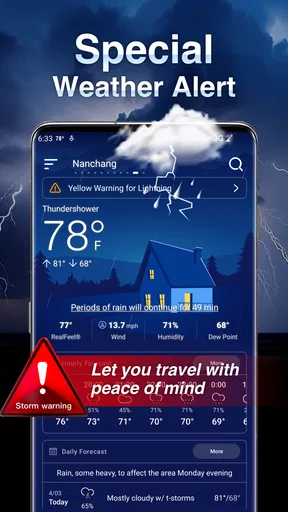
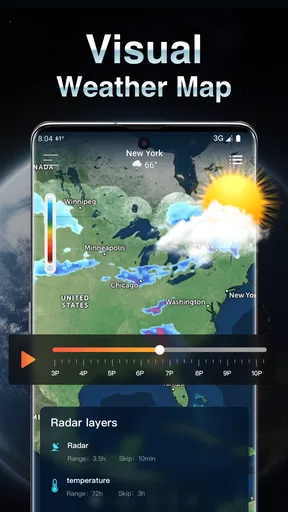
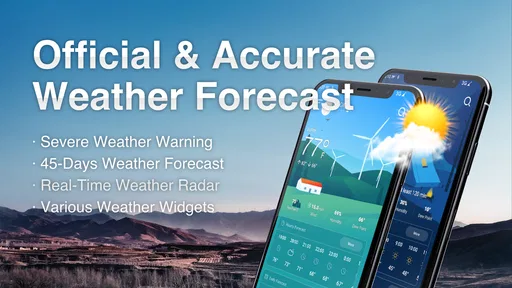
The radar feature is a game-changer. I found myself obsessively checking it during storm season. It’s super detailed, and you can zoom in to see exactly where that nasty storm is heading. And, let’s talk about the alerts. The app sends notifications for severe weather conditions, so you’re always in the know—no more getting caught off guard by a sudden downpour or heatwave.
Radar is most useful when I already have a specific question: is the rain approaching my area, or is it moving away? Checking it once before a walk or drive can be more useful than repeatedly refreshing the forecast. I would still treat alerts as a backup, not a reason to ignore official local warnings or changing conditions, especially when severe weather could affect safety.
Worth Reading Before You Choose

Switching to Android Auto Means Rethinking Your Driving Routine

Google Calendar Makes a Crowded Week Easier to Manage

Baby Panda World Brings Quick Play to Modern Phones, but Its Game Library Feels Busy

ESPN’s Live Game View Makes Following Close Games Easier

QuizzLand Review: A Good Fit for Short Trivia Breaks, Not Every Player

Basketball Stars: Multiplayer Is Fast, but Can It Recover When Matches Go Wrong?
Customization and widgets
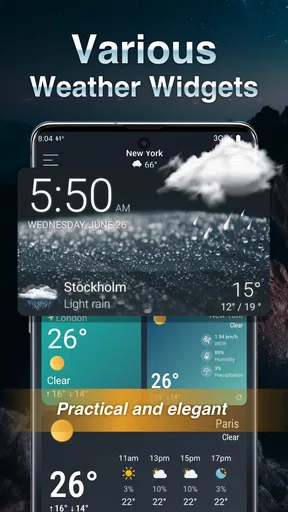
One of my personal favorite features is the customization. You can tweak the app’s layout and units to fit your preferences, which is great for those of us who prefer Celsius over Fahrenheit, or vice versa. The widgets are also pretty slick. You can add them to your home screen for quick glances at the weather without even opening the app.
A practical tip is to set the units once and then use the widget for routine checks; that avoids repeatedly opening the app just to answer the same basic question. If you travel between places or compare forecasts with someone who uses different units, changing the display to match theirs can also prevent a simple temperature misunderstanding. The trade-off is that a widget is a glanceable summary, not a substitute for checking the hourly outlook when timing matters.
Where it fits among weather apps
Compared with the weather app already on a phone, this one may be worthwhile if you want local hourly and daily forecasts alongside features such as radar, alerts, and a configurable widget. A built-in option can be enough if you only check the temperature occasionally and prefer not to add another app. I see this as a more practical choice for someone who checks conditions several times a day, but not necessarily for a weather enthusiast who wants specialized analysis or more technical forecasting tools.
The app is free to download, with optional in-app purchases priced from $2.99 to $4.99 per item. I would start with the free version and decide whether the everyday experience covers my needs before spending anything. Its Everyone age rating makes it suitable for a broad audience, but that does not change the basic advice to use trusted local guidance during dangerous conditions.
Who will get the most from it
I think it suits commuters, people who walk or cycle, and anyone whose plans depend on whether rain or strong wind is likely. It is also useful for families coordinating school runs or outdoor errands: a quick look at the day’s forecast can help choose when to leave and what to bring. The value is greatest when weather affects a real decision, rather than when the app is opened just to browse conditions out of habit.
On the other hand, someone who rarely checks the forecast may find a default phone app perfectly adequate. I would also avoid relying on a single app as the only source for high-stakes weather decisions. Forecasts can change, and a local alert or official advisory should take priority when safety is involved. That is a sensible limit for any general weather app, not a reason to dismiss its everyday usefulness.
What to expect before installing
The app is made by Weather Forecast - WaiWao Studio and has a 4.8 average from around 189,000 ratings, with more than 10 million installs. It was released on February 22, 2023, and version 1.1.42 requires Android 6.0 or later. Those figures suggest it has found a substantial audience, but they do not tell me whether a forecast will match every street or every fast-moving weather change. I would judge it by how clearly it helps with my own local routine.
One small point to keep in mind is that location-based forecasts depend on having a useful location selected or available. When travelling, I would check that the displayed place is the destination I care about before making plans; otherwise, a neatly presented forecast for the wrong area is not much help. For a trip, I would check the destination in advance and then revisit the hourly forecast closer to departure.
A practical everyday tool
Honestly, Live Weather: Weather Forecast is a must-have for anyone who wants to stay prepared. It’s reliable, packed with features, and just plain useful. Whether you’re planning a weekend getaway or just deciding what to wear to work, this app has got your back.
In a world where the weather seems to change by the minute, having a dependable weather app is essential, and this one ticks all the boxes. So go ahead, download it, and never be outsmarted by Mother Nature again!
My verdict is more measured: it is a convenient everyday option when fast local checks, a glanceable widget, and radar are the features I will actually use. Its clearest strength is reducing the effort between wondering about the weather and making a sensible plan. If that is the friction you want removed, it is worth trying; if you need specialist forecasting or make safety-critical decisions, pair it with authoritative local information instead.
Pros
- Accurate real-time weather updates.
- User-friendly interface with sleek design.
- Customizable notifications for severe weather.
- Wide range of weather details available.
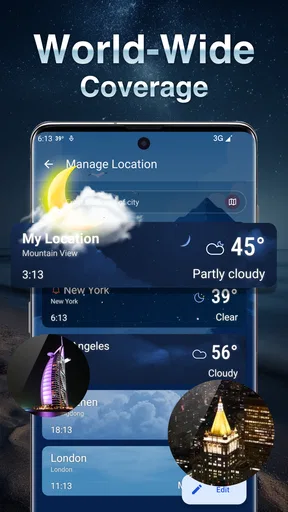
- Supports multiple locations simultaneously.
Cons
- Frequent ads can be intrusive.
- Requires stable internet for updates.
- Limited offline functionality.
- Some features locked behind paywall.
- Battery usage could be optimized.
FAQs for Live Weather: Weather Forecast
What features does Live Weather: Weather Forecast offer?
Live Weather: Weather Forecast provides real-time weather updates, including temperature, humidity, wind speed, and precipitation forecasts. Users can access detailed hourly and weekly forecasts, interactive weather maps, and severe weather alerts. The app also includes customizable widgets for quick access and a user-friendly interface for easy navigation.
Is Live Weather: Weather Forecast available for both Android and iOS?
Yes, Live Weather: Weather Forecast is available for both Android and iOS devices. Users can download the app from the Google Play Store for Android devices and the Apple App Store for iOS devices. The app is optimized for a variety of devices, ensuring a seamless experience across platforms.
Does Live Weather: Weather Forecast require an internet connection to function?
While Live Weather: Weather Forecast can provide basic functionality offline, such as previously loaded data, it requires an internet connection to deliver real-time updates and accurate forecasts. An active internet connection ensures that users receive the latest weather alerts and updates for their location.
Is there a subscription fee or in-app purchases in Live Weather: Weather Forecast?
Live Weather: Weather Forecast is free to download and use, but it may offer in-app purchases for premium features. These can include ad-free experiences, additional widgets, or more detailed weather data. Users should review the app's pricing details directly in the app store before downloading.
How accurate is the weather data provided by Live Weather: Weather Forecast?
The accuracy of weather data in Live Weather: Weather Forecast depends on the data sources used by the app. It typically aggregates information from reputable weather services and satellites to ensure reliable forecasts. However, users should be aware that weather predictions are inherently probabilistic and can be subject to change.


